

World Generator Prompts: Examples and a Spatial Checklist
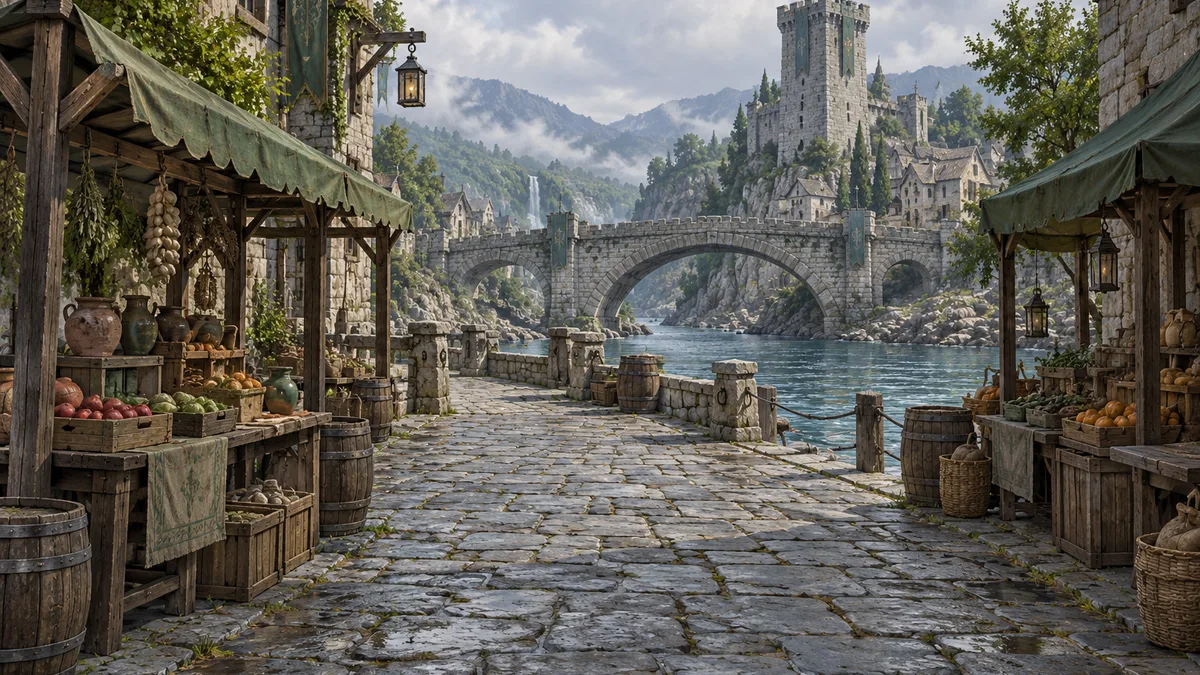
Useful world generator prompts describe a space that someone can understand: a starting viewpoint, a route through the environment, a focal landmark, and a consistent visual direction. A long list of fantasy adjectives rarely answers those spatial questions.
You can study existing environments in the AI World Generator gallery, then prepare your own brief in the homepage prompt preview. The current homepage is a preview experience: it accepts prompt and reference-image input but does not create a new world. The examples below are original briefs to adapt for a compatible generation tool, not claimed outputs or measured tests.
Write a place before writing its history
Consider this first attempt:
An epic, beautiful fantasy kingdom with ancient magic, many cities, dragons, battles, mountains, a royal palace, realistic lighting, and amazing detail.
It contains subjects and mood, but no clear location for the viewer. It also asks one scene to carry an entire kingdom. If the goal is an environment reference, begin with a single traversable area.
Try this more focused brief:
An eye-level view from the entrance to a riverside market street. A broad stone path leads toward a low arched bridge in the middle distance. Timber stalls sit beside the path without blocking it. A square watchtower rises beyond the bridge as the main landmark. Weathered stone, dark wood, muted green awnings, soft overcast daylight. Keep the route and the bridge silhouette easy to read.
The second brief defines what should be visible and how the elements relate. It leaves the region's political history for your worldbuilding notes. You can add that history later when it changes a visible design choice.
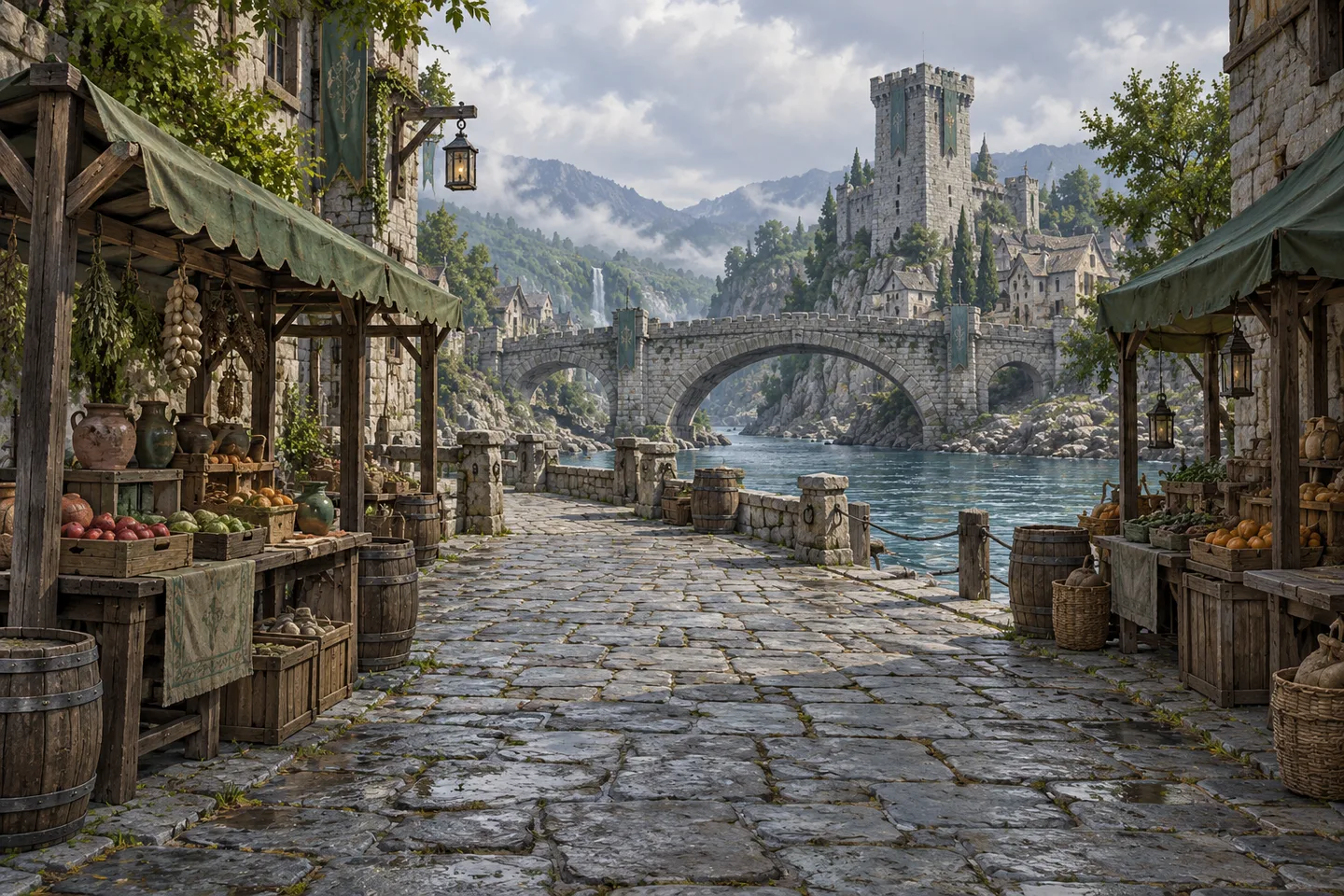
Concept illustration showing spatial layers for a scene brief. It is not an output from this site's preview.
Use six pieces of information
Start with these components, then remove anything that does not help the intended output.
| Prompt component | What it clarifies | Example |
|---|---|---|
| Scene and scale | How much space to describe | One market street, rather than an entire kingdom |
| Starting viewpoint | Where the viewer begins | Eye level at the street entrance |
| Route and layout | How the scene connects | A path leading to a bridge, stalls at the sides |
| Focal landmark | What organizes the composition | A watchtower beyond the crossing |
| Materials and style | How surfaces belong together | Weathered stone, dark wood, restrained fantasy design |
| Light and constraints | What stays readable | Overcast daylight, open path, visible bridge silhouette |
A compact reusable template is:
[Scene and scale], viewed from [starting position]. [Main route] leads to [landmark]. [Secondary elements] sit [spatial relationship]. Use [materials and visual style] in [lighting]. Keep [one or two important constraints].
This is a planning method, not a special command syntax. Tools interpret prompts differently. Check their supported input types and controls rather than assuming every word maps to an editable parameter.
Three original prompts to adapt
A cliffside village with a clear route
A compact village built along a rocky coastal ledge, viewed at eye level from the entrance path. A broad stone walkway curves gently toward a small bell tower in the middle distance. Low plaster houses sit inland beside the walkway; a low parapet marks the sea-facing edge. Pale stone, faded blue doors, terracotta roof tiles, soft morning light, restrained Mediterranean fantasy style. Keep the walkway visible and the bell tower distinct from the surrounding roofs.
Use this when you need a readable approach to a settlement. The parapet and house placement explain the route's edges. If the composition becomes crowded, reduce the number of houses before adding more style instructions.
A forest clearing with a recognizable center
An eye-level view from a woodland path entering a small circular clearing. Five weathered standing stones form a loose ring around a flat central stone. Ferns and moss remain at the edge, leaving an open route into the center. Tall trees frame the background, with one fallen trunk off to the right. Cool green foliage, rough gray stone, soft daylight through the canopy. Keep the central area uncluttered and separate the standing stones clearly.
Use this to explore a contained environment with a center that is easy to identify. The number of stones is a design target; inspect the result rather than assuming the generator will count perfectly. If exact object counts matter, choose a workflow with editing controls.
A steampunk station with a strong silhouette
A small elevated railway station, viewed from the pedestrian entrance at platform level. A wide platform leads toward a glass-roofed waiting hall, with a tall copper clock tower behind it. Brass pipes run along the outer wall without crossing the walking route. Brick foundations, dark iron supports, oxidized copper, warm late-afternoon light, grounded steampunk design. Keep the platform edge, waiting hall entrance, and clock tower silhouette clearly separated.
Use this when material contrast is central to the idea. If everything turns metallic, simplify the materials to brick and dark iron first, then reintroduce copper as an accent. Keep the tower's role as a landmark consistent while changing the finish.
Prepare a reference image that explains the space
A reference should support the geometry or composition you care about. A wide view showing the ground, a route, and background structures is usually more useful for an environment brief than a close-up of a decorative object.
Pick the reference according to the decision you need to preserve. A layout sketch can express where a path and building belong. A photograph can communicate material and light. A mood image can express atmosphere, but may leave the layout ambiguous. Describe the image's role in your brief so that you can evaluate the result against the same goal.
The homepage preview accepts JPG, PNG, and WebP within its displayed 10 MB limit. These are input limits for this site's preview, not universal requirements for other world generators. It does not upload the image for world generation. Keep your original reference file and prompt together if you intend to continue in another tool.
Do not use an image of an entire labeled map when your immediate task is an eye-level scene unless the chosen tool explicitly supports map-conditioned input. A map and a perspective reference communicate different information.
Review structure before decoration
When a compatible tool produces a result, inspect it in an order that makes revisions easier.
First, check the starting viewpoint. Is the viewer at the intended height and location? Next, check the route. Can you see where it begins and ends? Then find the landmark. Does it remain distinct from surrounding shapes? Only after that should you spend time on surface detail and small props.
For an explorable result, inspect several viewpoints rather than judging only its first image. For a video, watch the full sequence and look for layout changes during motion. For a map, check geography and labels. These are different acceptance checks; our guide to world generator types explains which output fits each task.
Change one cause at a time
A useful revision names a visible problem and changes a likely cause.
| What you observe | First revision to try | What to compare |
|---|---|---|
| The main route disappears | Remove foreground clutter and restate its start and end | Whether the route is readable at the intended viewpoint |
| The scene feels like disconnected objects | Describe adjacency and shared ground surfaces | Whether buildings and paths form one place |
| The landmark blends into the background | Simplify nearby silhouettes and clarify its position | Whether you can identify it at a glance |
| Materials clash | Reduce the palette to two main materials and one accent | Whether the scene has a consistent finish |
| The scene tries to show too much | Limit the brief to one courtyard, street, or clearing | Whether the local layout becomes clearer |
| Separate versions stop matching | Repeat a short list of fixed layout constraints | Which constraints survive each iteration |
For the riverside market, a focused revision might be:
Keep the same eye-level entrance view and watchtower beyond the bridge. Remove the stall nearest the center of the path. Leave a continuous open route from the foreground to the crossing.
This makes the intended change easy to judge. It does not promise that a generation system will preserve every unchanged detail. If exact preservation is essential, use a tool with suitable editing or scene controls and verify the output.
Keep a short comparison record
Save the brief, reference image, chosen settings, and a note about the result. Label revisions by the decision they test, such as “wider route” or “simpler materials.” Compare against the same requirement instead of selecting whichever version feels newest.
A small acceptance note is enough: “The bridge must be visible from the entrance; the path must stay open; the watchtower must remain beyond the crossing.” Three observable requirements are more useful than a broad instruction to make the world better.
To practice on this site, open the world gallery, choose a scene, and write its layout in six sentences using the components above. Then prepare a variation in the homepage preview. This gives you a clear brief to take into a compatible creation workflow without confusing the preview with a newly generated environment.
Interface facts checked on October 19, 2026. Prompt examples and revision framework by AI World Generator.